前言
在多品牌、多區域、多語系的平台中,首頁的 Banner、Widget、行銷活動區塊都需要能夠由運營人員自行管理,而不是每次改內容都要動到程式碼。市面上有很多成熟的 CMS(WordPress、Strapi 等),但我們的需求比較特殊:
- 內容需要**依區域(Region)和語系(Language)**動態切換
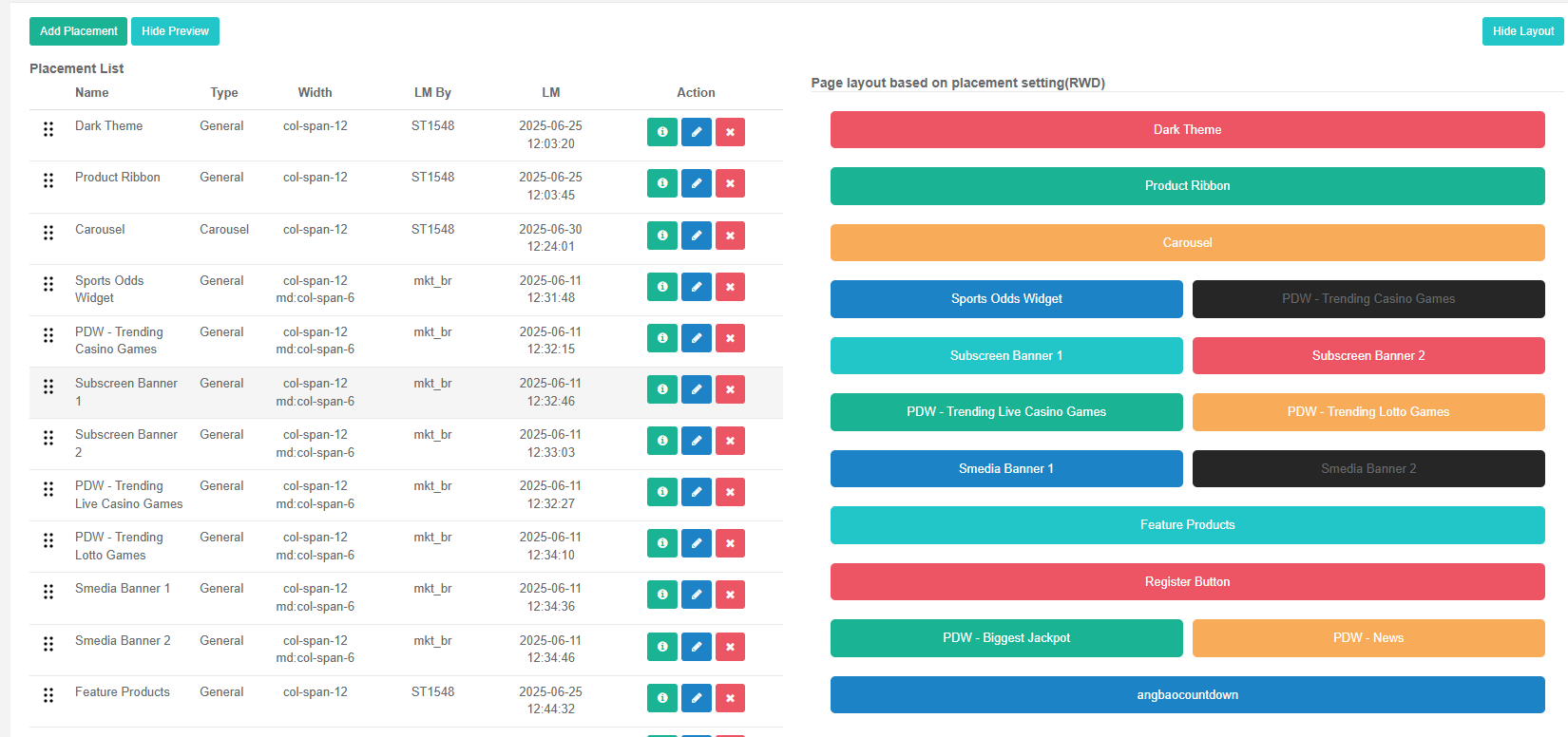
- 版位採用 CSS Grid(grid-cols-12) 設計,運營人員可以自行調整 RWD 排版
- 支援定時排程,廣告可以設定上下架時間、週期性顯示
- 最終輸出是 HTML 片段,由前端 Vue.js 應用動態 compile 並渲染
因此我們自建了一套簡易 CMS 系統(代號 CMS),本文完整介紹這套系統的架構設計。
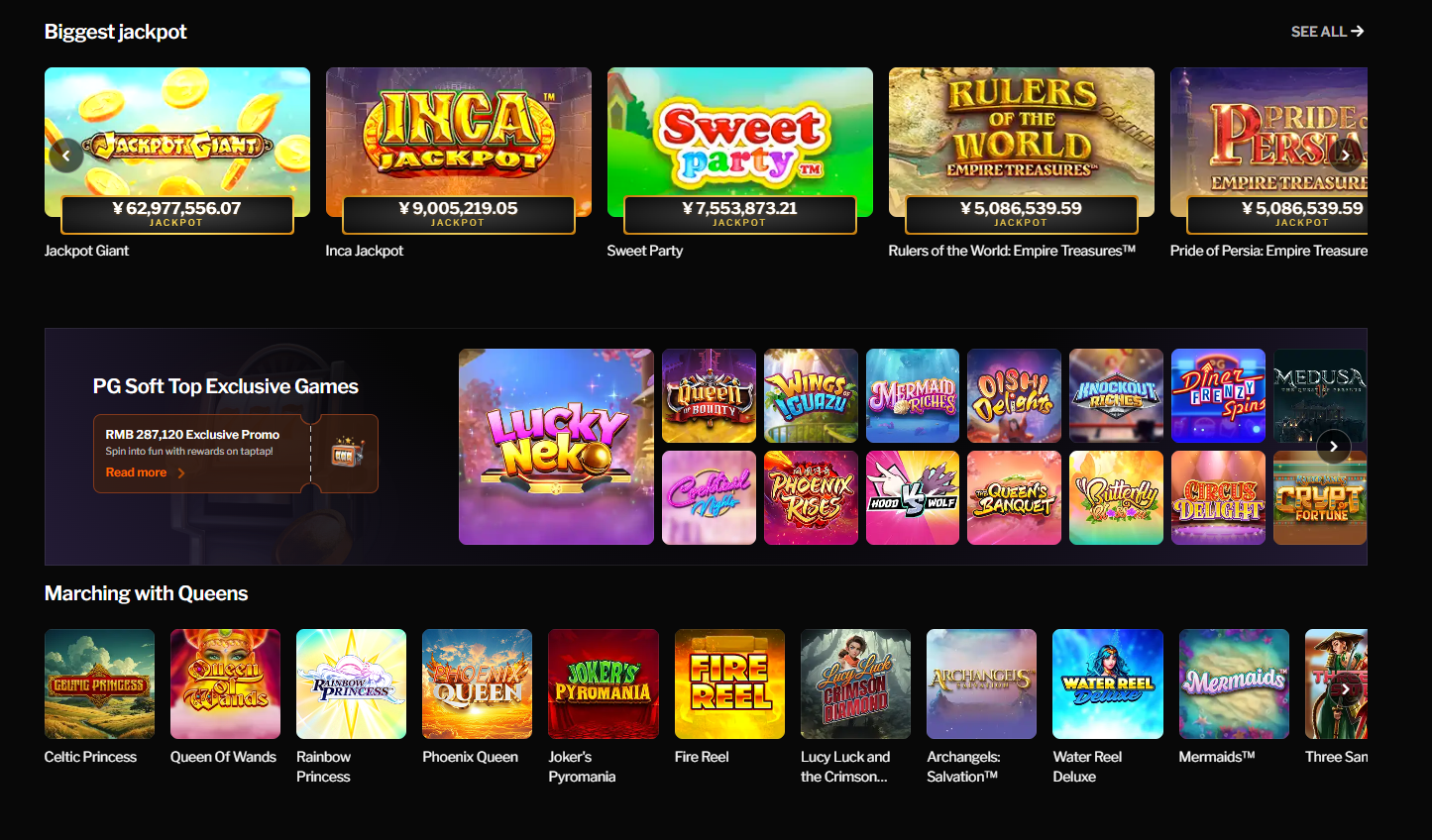
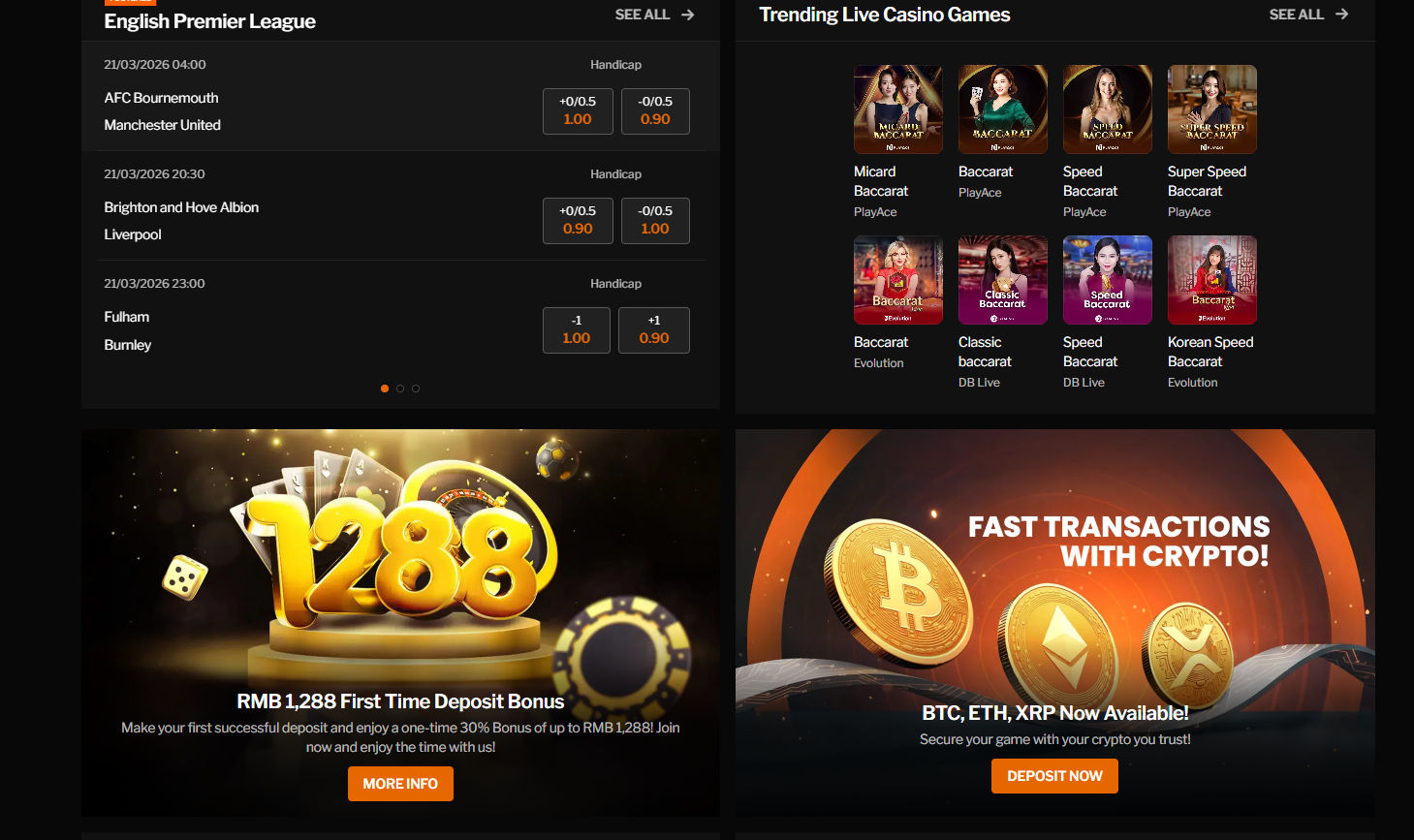
系統內部設定大概如下 可以設定每一個頁面Display + Layout +HTML
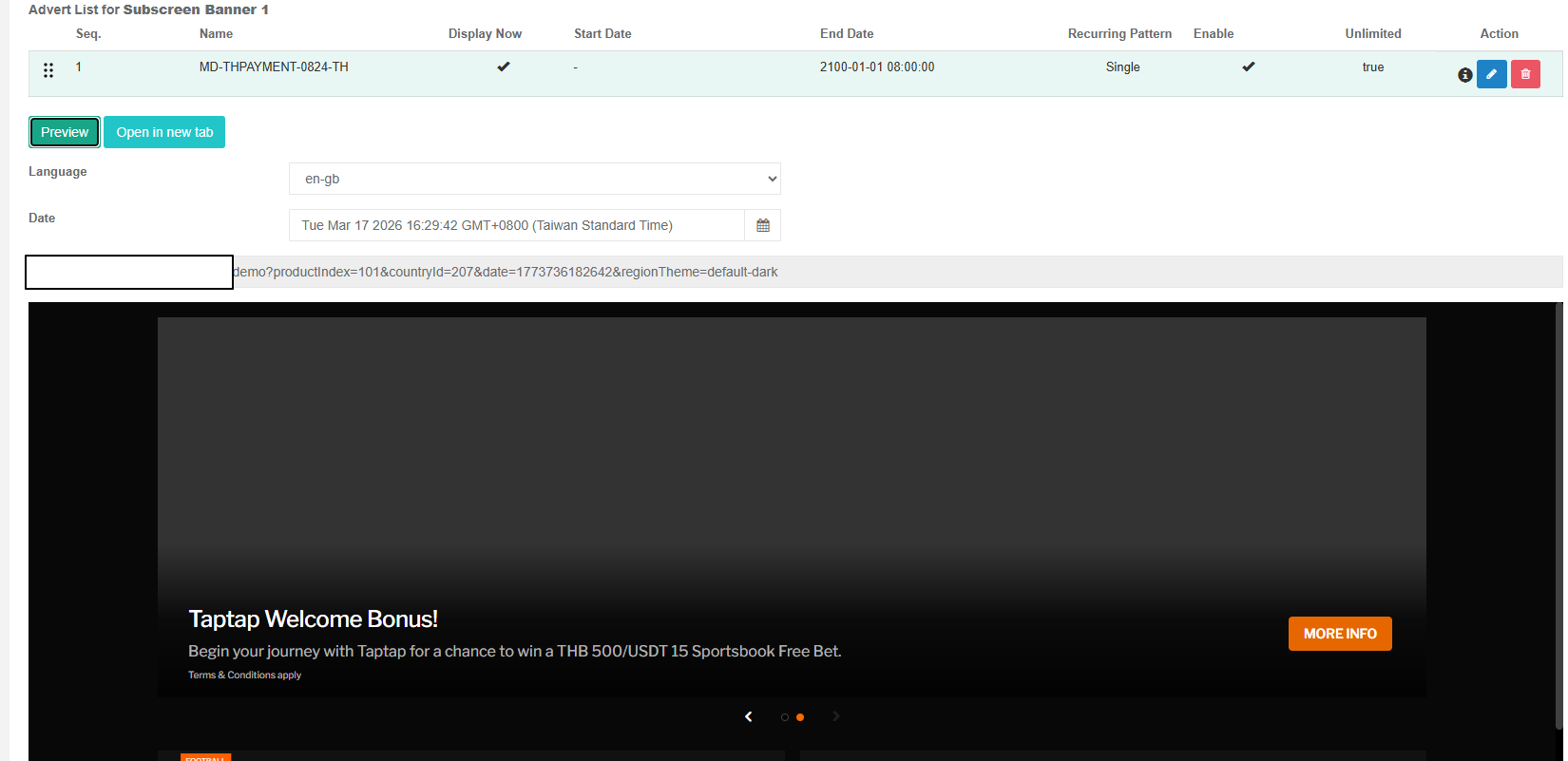
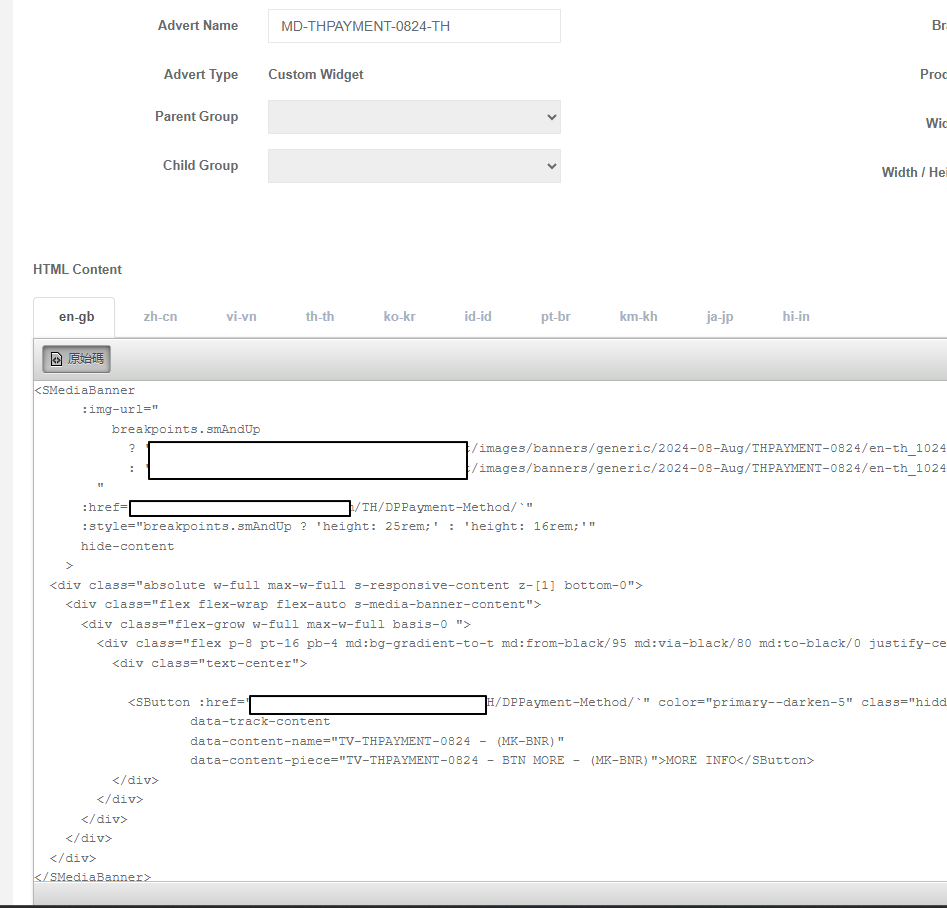
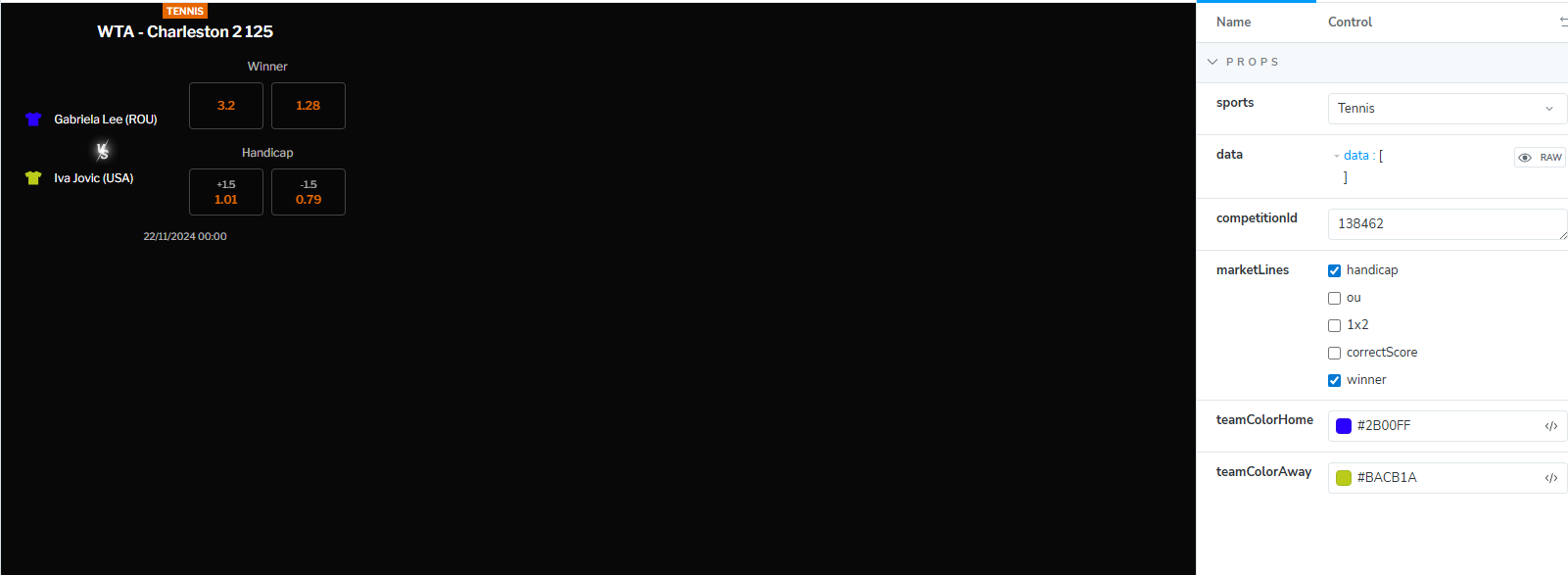
Demo Sample
系統概述
flowchart LR
    CMS["CMS 後台管理介面
運營人員操作"] --> DB[(MongoDB
Piper DB)]
    API["GetContent API
外部系統呼叫"] --> DB
    API --> External["外部系統
動態 compile HTML"]
系統的核心目標:
- 透過後台管理介面讓運營人員配置品牌頁面的廣告版位(Placement)、內容(Advert)與排程策略(Strategy)
- 透過
GetContentAPI 將配置好的 CMS 內容(多語系 HTML 片段)提供給外部系統 - 外部系統接收 HTML 後,動態 compile 成最終使用者看到的頁面
技術棧:
- 後端:ASP.NET MVC 5 + WebApi 2
- 資料庫:MongoDB(Driver 2.9.1)
- 快取:MemoryCache
- 套件:MongoDB.Driver 2.9.1、HtmlAgilityPack、Newtonsoft.Json
MongoDB 連線設定
設定來源
連線資訊儲存在 XML 設定檔,部署時透過變數替換注入實際連線值:
1 | <SystemSetting> |
初始化流程
flowchart TD
    A["Global.asax
Application_Start"] --> B["ConfigFileHelper.Initialize
讀取 SystemSetting.config
反序列化為 SystemSettingModel"]
    A --> C["AppDataManager.LoadAppData
快取 SystemSetting 至靜態變數"]
    A --> D["MongoDbClient 靜態初始化
建立 MongoClient +
IMongoDatabase 單例"]
    B --> C --> D
MongoDbClient 存取模式
系統使用自訂 [BsonCollection] Attribute 搭配靜態 MongoDbClient.GetCollection<T>() 方法,透過反射自動取得 Collection 名稱:
1 | [] |
Collections 與 Models 對照表
資料庫名稱:Piper
| # | Collection | Model | 說明 |
|---|---|---|---|
| 1 | Page |
PageModel |
頁面定義,綁定品牌、區域、產品,內嵌版位清單 |
| 2 | Advert |
AdvertModel |
廣告內容,含多語系 HTML 片段 |
| 3 | Strategy |
StrategyModel |
策略排程,管理廣告的顯示時間與順序 |
| 4 | Region |
BrandRegionModel |
品牌區域定義,含國家與語言清單 |
| 5 | User |
UserModel |
系統使用者 |
| 6 | Group |
GroupModel |
廣告群組(支援巢狀) |
| 7 | GroupTree |
GroupTreeModel |
群組樹狀結構(扁平化儲存) |
| 8 | BrandSetting |
BrandModel |
品牌設定(名稱、CSS、DataFeed) |
| 9 | LanguageSetting |
LanguageModel |
語言設定 |
| 10 | ProductTemplate |
ProductTemplate |
產品範本(對應產品索引) |
| 11 | CountryTemplate |
CountryTemplate |
國家範本 |
| 12 | WidgetProduct |
WidgetProductModel |
Widget 產品與可用 Widget 清單 |
| 13 | RegionTheme |
RegionThemeModel |
區域主題樣式設定 |
核心資料模型
PageModel
頁面是系統的核心實體,代表一個特定品牌 + 區域 + 產品的頁面配置。PlacementList 直接內嵌於 Page 中。
| 欄位 | 型別 | 說明 |
|---|---|---|
Id |
ObjectId | 主鍵 |
BrandId |
int | 品牌 ID |
Name |
string | 頁面名稱 |
MappingProduct |
ProductTemplate(嵌入) | 對應的產品範本 |
Region |
BrandRegionModel(嵌入) | 對應的品牌區域 |
PlacementList |
List<PlacementModel>(嵌入) | 版位清單 |
PlacementModel(嵌入於 Page)
版位定義了一個廣告區塊的屬性與對應的策略。運營人員可以透過 gridClass 和 Width 控制版位在 CSS Grid 中的 RWD 排版。
| 欄位 | 型別 | 說明 |
|---|---|---|
Id |
ObjectId | 版位 ID |
StrategyId |
string | 對應的策略 ID |
Name |
string | 版位名稱 |
Width |
int | 寬度 |
gridClass |
List<string> | CSS grid class 列表 |
Type |
PlacementType | 版位類型(Carousel、General 等) |
AdvertModel
廣告是實際的內容載體,儲存多語系的 HTML 片段。
| 欄位 | 型別 | 說明 |
|---|---|---|
Id |
ObjectId | 主鍵 |
BrandId |
int | 品牌 ID |
Name |
string | 廣告名稱 |
Active |
bool | 是否啟用 |
WidgetContexts |
List<Dictionary<string, string>> | 多語系 HTML 內容,key 為語言碼,value 為 HTML |
GroupId |
string | 所屬群組 ID |
CurrentEdit |
string | 目前編輯者(鎖定用) |
EditExpireTime |
string | 編輯鎖定過期時間 |
StrategyModel / StrategyAdvert
策略管理廣告在版位中的排程與排序。StrategyAdvert 嵌入於 Strategy 中。
| 欄位 | 型別 | 說明 |
|---|---|---|
Sequence |
int | 排序序號(同序號視為備援) |
StartDate |
long | 開始時間(Unix 毫秒) |
EndDate |
long | 結束時間(Unix 毫秒) |
IsUnlimited |
bool | 是否無限期 |
AdvertId |
string | 對應的廣告 ID |
Iteration |
int? | 迭代類型:1=Single, 2=Recurring |
RecurringPattern |
int? | 週期模式:0=None, 2=Weekly, 3=Monthly |
RecurringStartTime |
string | 週期開始時間(HH:mm UTC) |
RecurringEndTime |
string | 週期結束時間(HH:mm UTC) |
RecurringWeekDays |
int[] | 週期星期幾(0=Sunday ~ 6=Saturday) |
RecurringMonthDays |
int[] | 週期每月幾號 |
其他模型
- BrandRegionModel:品牌區域,內嵌國家清單和語言清單,含預設語言
- BrandModel:品牌設定,含預設 CSS 和 DataFeed 清單
- WidgetProductModel:Widget 產品,定義可用的 Widget 清單(每個 Widget 有 DirectiveName 供前端 compile)
- RegionThemeModel:區域主題樣式,支援排程(StartDate / EndDate)
- UserModel:系統使用者,含角色(Admin / PowerUser / User)和可存取的品牌清單
- GroupModel / GroupTreeModel:廣告群組管理,支援巢狀結構
模型關聯圖
erDiagram
    Page }o--|| Region : "Region embedded"
    Page }o--|| ProductTemplate : "MappingProduct embedded"
    Page ||--|{ Placement : "PlacementList embedded"
    Placement ||--o| Strategy : "StrategyId"
    Strategy ||--|{ StrategyAdvert : "StrategyAdvertList embedded"
    StrategyAdvert }o--|| Advert : "AdvertId"
    Region ||--|{ Country : "CountryList embedded"
    Region ||--|{ Language : "LanguageList embedded"
    Brand ||--|{ Region : "BrandId"
    Brand ||--|{ Page : "BrandId"
    Brand ||--|{ Advert : "BrandId"
    Advert }o--o| WidgetProduct : "WidgetProduct embedded ref"
    Advert }o--o| Group : "GroupId"
    Group ||--o{ GroupTree : "GroupId"
GetContent API
端點
1 | GET /api/Service/GetContent |
請求參數
| 參數 | 型別 | 必填 | 說明 |
|---|---|---|---|
brandId |
int | 是 | 品牌 ID |
productIndex |
int | 是 | 產品索引 |
languageId |
int | 是 | 語言 ID |
countryId |
int | 是 | 國家 ID |
date |
string | 否 | 指定時間(Unix 毫秒),用於預覽排程 |
回應格式
1 | { |
Content 欄位包含組裝完成的 HTML 片段,外部系統接收後進行動態 compile(如 Vue directive 解析)。
完整資料流
flowchart TD
    Client["外部系統呼叫
GET /api/Service/GetContent"]
    subgraph step1 ["Step 1: Region 解析"]
        RegionCache{"MemoryCache 命中?"}
        RegionQuery["查詢 Region Collection
brandId + countryId + languageId"]
    end
    subgraph step2 ["Step 2: Page 查詢"]
        PageQuery["查詢 Page Collection
brandId + regionId + productIndex"]
    end
    subgraph step3 ["Step 3: Placement 處理"]
        PlacementLoop["遍歷 page.PlacementList"]
        StrategyQuery["依 StrategyId 查詢 Strategy"]
        AdvertFilter["StrategyAdvertHelper
時間篩選 + 排序"]
        AdvertQuery["依 AdvertId 查詢 Advert
取對應語言的 HTML"]
        TemplateApply["依 PlacementType
套用 HTML 模板"]
    end
    subgraph step4 ["Step 4: 組裝與回傳"]
        Assemble["組裝所有 Placement HTML
包裹 grid container"]
        CacheResult{"寫入 MemoryCache"}
        Response["回傳 HTML"]
    end
    Client --> RegionCache
    RegionCache -->|miss| RegionQuery --> step2
    RegionCache -->|hit| step2
    step2 --> PageQuery --> PlacementLoop
    PlacementLoop --> StrategyQuery --> AdvertFilter --> AdvertQuery --> TemplateApply
    TemplateApply --> Assemble
    Assemble --> CacheResult --> Response
資料解析步驟
Step 1 - Region 解析:根據 brandId、countryId、languageId 查詢 Region collection,使用 ElemMatch 確認 CountryList 和 LanguageList 包含指定值。結果快取 60 秒。
Step 2 - Page 查詢:根據 brandId、region.Id、productIndex 查詢 Page。每個頁面唯一對應一個品牌 + 區域 + 產品組合。
Step 3 - Placement 處理:遍歷 Page 的 PlacementList,每個 Placement:
- 依 StrategyId 查詢 Strategy,取得 StrategyAdvertList
- 透過
IsAdvertVisible()過濾可顯示的廣告 - 依 Sequence 分組,每組取一個
- 依 AdvertId 查詢 Advert,從 WidgetContexts 取得對應語言的 HTML
- 依 PlacementType 套用模板
- 無可用廣告的 Placement 整個隱藏
Step 4 - 組裝與回傳:所有 Placement HTML 串接後包裹在 <div class="grid grid-cols-12 gap-4"> 中,結果快取 60 秒。
策略與排程系統
策略廣告可見性判斷
StrategyAdvertHelper.IsAdvertVisible() 的判斷邏輯:
flowchart TD
    A["廣告是否可見?"] --> B{"Sequence < 0?"}
    B -->|Yes| X1["不可見
已停用"]
    B -->|No| C{"在 StartDate ~ EndDate
範圍內?"}
    C -->|No| X2["不可見"]
    C -->|Yes| D{"Iteration 類型?"}
    D -->|Single| Y1["可見"]
    D -->|Recurring| E{"在 RecurringStartTime ~
RecurringEndTime 時段?"}
    E -->|No| X3["不可見"]
    E -->|Yes| F{"RecurringPattern?"}
    F -->|Weekly| G{"今天星期幾
在 RecurringWeekDays 中?"}
    F -->|Monthly| H{"今天幾號
在 RecurringMonthDays 中?"}
    G -->|Yes| Y2["可見"]
    G -->|No| X4["不可見"]
    H -->|Yes| Y3["可見"]
    H -->|No| X5["不可見"]
同序號廣告衝突處理
當多個廣告擁有相同的 Sequence 時(備援機制),系統使用 IComparable<StrategyAdvert> 排序:
- 有限期廣告優先於無限期廣告
- 同為有限期或無限期時,
StartDate較早者優先
排程時間格式
所有日期時間均使用 Unix 毫秒時間戳。RecurringStartTime 和 RecurringEndTime 使用 HH:mm 格式(UTC 時區)。
快取策略
系統使用 MemoryCache 進行伺服器端快取:
| 快取鍵格式 | TTL | 說明 |
|---|---|---|
s_region_{brandId}_{countryId}_{languageId} |
60 秒 | Region 查詢結果 |
s_page_{pageId}_{languageId}_{timestamp} |
60 秒 | 組裝完成的 HTML |
s_{placementType}_html |
10 分鐘 | PlacementType HTML 模板 |
快取 timestamp 使用 yyyyMMddhhmm 格式,同一分鐘內的重複請求會命中快取。若帶 date 參數(預覽模式),timestamp 使用指定的時間。
PlacementType 與模板對應
PlacementType 列舉
| 值 | 名稱 | 說明 |
|---|---|---|
| 0 | Carousel | 輪播 |
| 1 | General | 一般版位 |
| 2 | Splash | 全屏廣告 |
| 3 | WinnersList | 得獎名單 |
| 4 | MKTHighlights | 行銷亮點 |
| 5 | TopCarousel | 頂部輪播 |
| 6 | TrendingList | 趨勢列表 |
模板檔案
| PlacementType | 模板檔案 | 模板內容 |
|---|---|---|
| Carousel | _carousel.html |
<carousel {{settings}}>{{advertList}}</carousel> |
| General | _general.html |
<div class="{{width}}">{{advertList}}</div> |
| Splash | _splash.html |
Teleport + CardCarousel overlay |
| WinnersList | _winnersList.html |
自訂模板 |
| MKTHighlights | _MKTHighlights.html |
自訂模板 |
| TopCarousel | _topCarousel.html |
自訂模板 |
| TrendingList | _trendingList.html |
自訂模板 |
模板佔位符
| 佔位符 | 說明 |
|---|---|
{{width}} |
Placement 的 gridClass(以空格連接) |
{{advertList}} |
所有廣告的 HTML 串接結果 |
{{settings}} |
<settings> 類型廣告的屬性(用於元件設定) |
靜態模式(General、WinnersList):廣告 HTML 包裹在 <div> 中,CSS class 來自 Advert.gridClass。其他類型直接輸出。所有廣告 HTML 會被注入 :cms-advertid 屬性,供外部系統追蹤。
資料建立順序與前置條件
資料依賴層次圖
flowchart TD
    subgraph layer1 ["Layer 1: 基礎主檔"]
        Brand["BrandSetting
品牌設定"]
        Language["LanguageSetting
語言設定"]
        Country["CountryTemplate
國家範本"]
    end
    subgraph layer2 ["Layer 2: 品牌相關設定"]
        Region["Region
品牌區域"]
        Product["ProductTemplate
產品範本"]
    end
    subgraph layer3 ["Layer 3: 頁面設定"]
        PageNode["Page
頁面"]
    end
    subgraph layer4 ["Layer 4: 版位與內容"]
        Placement["Placement
版位(自動建立 Strategy)"]
        Advert["Advert
廣告內容"]
        WidgetProduct["WidgetProduct
Widget 產品(選配)"]
    end
    subgraph layer5 ["Layer 5: 排程"]
        StrategyAdvert["StrategyAdvert
將廣告排入策略"]
    end
    Brand --> Region
    Brand --> Product
    Language --> Region
    Country --> Region
    Region --> PageNode
    Product --> PageNode
    PageNode --> Placement
    WidgetProduct --> Advert
    Placement --> StrategyAdvert
    Advert --> StrategyAdvert
各層說明
Layer 1 - 基礎主檔:BrandSetting(品牌)、LanguageSetting(語言清單)、CountryTemplate(國家清單),由後台 General Setting 管理。
Layer 2 - 品牌相關設定:Region(品牌區域,綁定國家和語言)、ProductTemplate(產品範本,每個產品有唯一的 ProductIndex)。
Layer 3 - 頁面設定:Page 綁定一個 Region + Product,系統驗證名稱不重複、組合不重複。
Layer 4 - 版位與內容:Placement 新增時系統自動建立空 Strategy。Advert 編輯多語系 HTML,設為 Active。
Layer 5 - 排程:將 Advert 排入 Placement 的 Strategy 中,設定排程規則。
自動建立行為
- 新增 Placement 時,自動在 Strategy collection 建立空的 StrategyModel,StrategyId 寫入 Placement
- 刪除 Placement 時,連帶刪除對應的 Strategy
- 刪除 Page 時,遍歷所有 Placement 並刪除各自的 Strategy
最小可用設定流程
1 | 1. 確認 BrandSetting 存在 |
完成後,外部系統即可透過 GetContent(brandId, productIndex, languageId, countryId) 取得組裝好的 HTML。
WebApi 端點一覽
公開 API
| 端點 | 方法 | 說明 |
|---|---|---|
/api/Service/GetContent |
GET | 取得頁面 HTML 內容 |
/api/Service/GetRegionTheme |
GET | 取得區域主題設定 |
後台管理 API(需 Session 驗證)
| 控制器 | 路由前綴 | 主要功能 |
|---|---|---|
| PageController | /api/session/Page/ |
頁面 CRUD、複製、取得可用區域 |
| PlacementController | /api/session/Placement/ |
版位 CRUD、排序 |
| AdvertController | /api/session/Advert/ |
廣告 CRUD、排程檢查、編輯鎖定 |
| StrategyController | /api/session/Strategy/ |
策略廣告 CRUD、排序、移除過期 |
| RegionController | /api/session/Region/ |
區域 CRUD |
| GroupController | /api/session/Group/ |
群組 CRUD |
| SettingController | /api/session/Setting/ |
語言、品牌、產品範本、Widget 設定 |
| RegionThemeController | /api/session/RegionTheme/ |
區域主題 CRUD |
| UserController | /api/session/User/ |
使用者 CRUD |
API 路由規則
1 | 公開 API: /api/{controller}/{action}/{id?} |